Can someone help me, please? I also don't know how to invoke the script by typing ridedata without having to retype the contents into your script file.
DO NOT include the < or > when you use publish, but do include single quotes around the name. For example, here is a publish command that Dr. LaBerge has used in another class:
>> publish(CMPE323_F19_Lab0_solution',"pdf)
The resultant PDF file will show up in a folder named HTML in your current MATLAB directory.
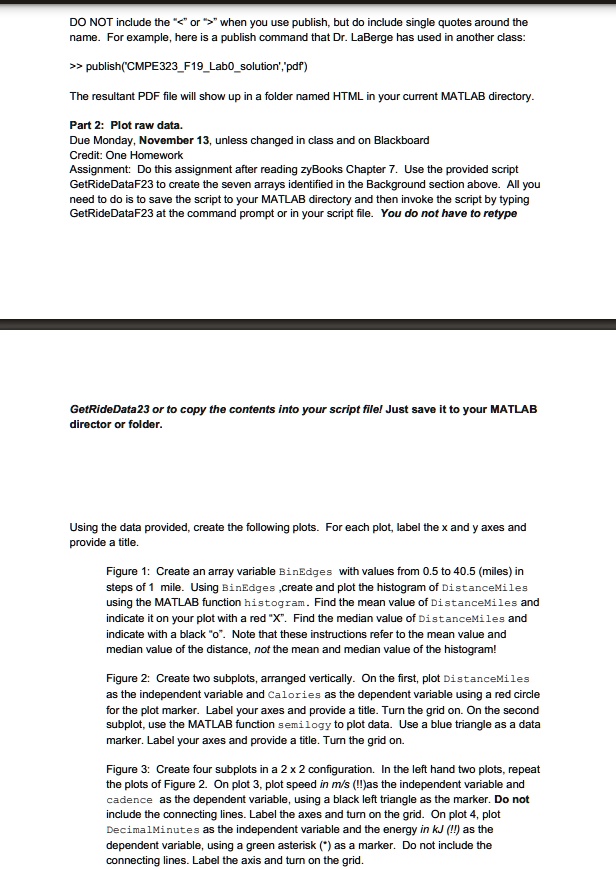
Part 2: Plot raw data. Due Monday, November 13, unless changed in class and on Blackboard Credit: One Homework Assignment: Do this assignment after reading zyBooks Chapter 7. Use the provided script GetRideDataF23 to create the seven arrays identified in the Background section above. All you need to do is to save the script to your MATLAB directory and then invoke the script by typing GetRideDataF23 at the command prompt or in your script file. You do not have to retype GetRideData23 or to copy the contents into your script file! Just save it to your MATLAB director or folder.
Using the data provided, create the following plots. For each plot, label the x and y axes and provide a title.
Figure 1: Create an array variable BinEdges with values from 0.5 to 40.5 (miles) in steps of 1 mile. Using BinEdges, create and plot the histogram of DistanceMiles using the MATLAB function histogram. Find the mean value of DistanceMiles and indicate with a black o. Note that these instructions refer to the mean value and median value of the distance, not the mean and median value of the histogram!
Figure 2: Create two subplots, arranged vertically. On the first, plot DistanceMiles as the independent variable and calories as the dependent variable using a red circle for the plot marker. Label your axes and provide a title. Turn the grid on. On the second marker. Label your axes and provide a title. Turn the grid on.
Figure 3: Create four subplots in a 2 x 2 configuration. In the left-hand two plots, repeat the plots of Figure 2. On plot 3, plot speed in m/s (!!) as the independent variable and cadence as the dependent variable, using a black left triangle as the marker. Do not include the connecting lines. Label the axes and turn on the grid. On plot 4, plot DecimalMinutes as the independent variable and the energy in kJ (!!) as the dependent variable, using a green asterisk (*) as a marker. Do not include the connecting lines. Label the axis and turn on the grid.