CIS 265 -- Lab 9
Due: Tuesday, May 2
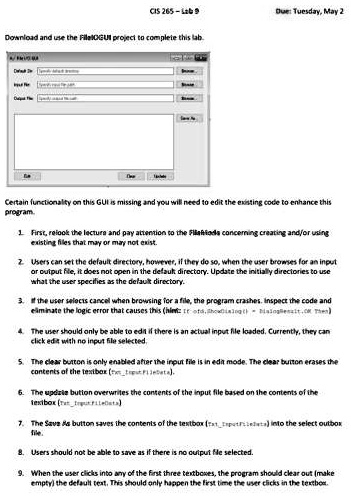
Download and use the FileIOGUI project to complete this lab.
Certain functionality on this GUI is missing and you will need to edit the existing code to enhance this
program.
1. First, relook the lecture and pay attention to the FileIO slides concerning creating and/or using
existing files that may or may not exist.
2. Users can set the default directory, however, if they do so, when the user browses for an input
or output file, it does not open in the default directory. Update the initially directories to use
what the user specifies as the default directory.
3. If the user selects cancel when browsing for a file, the program crashes. Inspect the code and
eliminate the logic error that causes this (hint: if ofd.ShowDialog() = DialogResult.OK Then)
4. The user should only be able to edit if there is an actual input file loaded. Currently, they can
click edit with no input file selected.
5. The clear button is only enabled after the input file is in edit mode. The clear button erases the
contents of the textbox (txt_InputFileData).
6. The update button overwrites the contents of the input file based on the contents of the
textbox (txt_InputFileData).
7. The Save As button saves the contents of the textbox (txt_InputFileData) into the select outbox
file.
8. Users should not be able to save as if there is no output file selected.
9. When the user clicks into any of the first three textboxes, the program should clear out (make
empty) the default text. This should only happen the first time the user clicks in the textbox.