Part 1: State Nodes and Transition Links
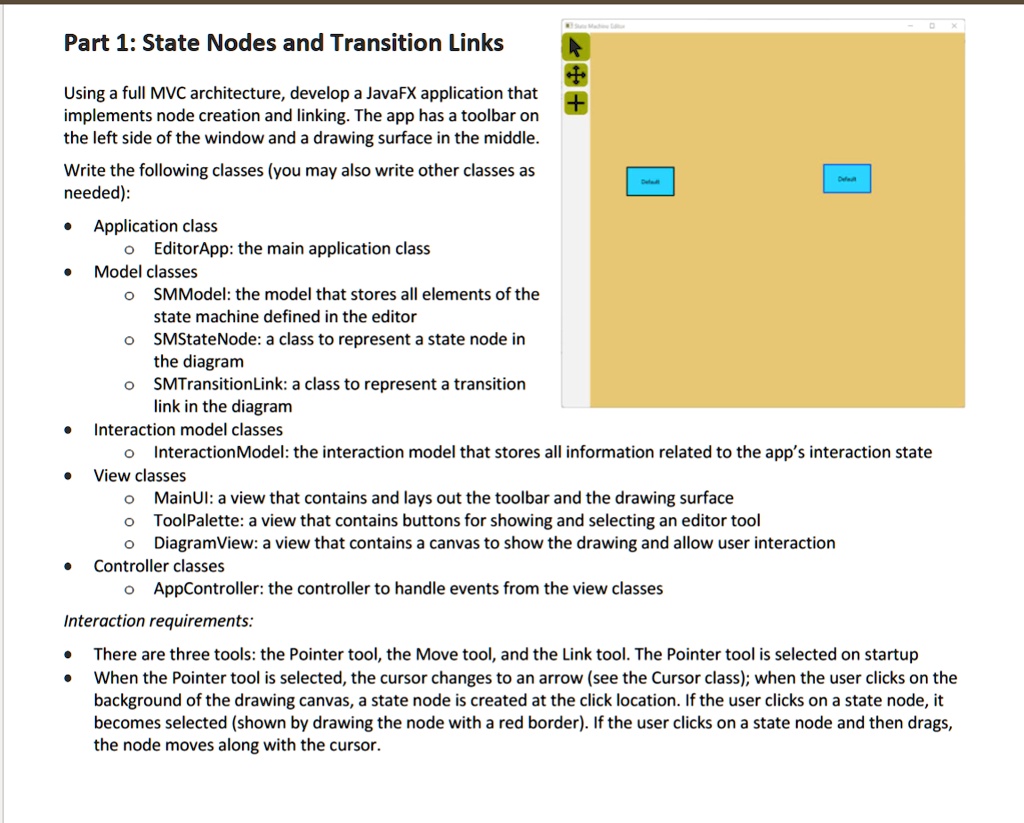
Using a full MVC architecture, develop a JavaFX application that
implements node creation and linking. The app has a toolbar on
the left side of the window and a drawing surface in the middle.
Write the following classes (you may also write other classes as
needed):
• Application class
? EditorApp: the main application class
• Model classes
? SMModel: the model that stores all elements of the
state machine defined in the editor
? SMStateNode: a class to represent a state node in
the diagram
? SMTransitionLink: a class to represent a transition
link in the diagram
• Interaction model classes
? InteractionModel: the interaction model that stores all information related to the app's interaction state
• View classes
? MainUI: a view that contains and lays out the toolbar and the drawing surface
? ToolPalette: a view that contains buttons for showing and selecting an editor tool
? DiagramView: a view that contains a canvas to show the drawing and allow user interaction
• Controller classes
? AppController: the controller to handle events from the view classes
Interaction requirements:
• There are three tools: the Pointer tool, the Move tool, and the Link tool. The Pointer tool is selected on startup
• When the Pointer tool is selected, the cursor changes to an arrow (see the Cursor class); when the user clicks on the
background of the drawing canvas, a state node is created at the click location. If the user clicks on a state node, it
becomes selected (shown by drawing the node with a red border). If the user clicks on a state node and then drags,
the node moves along with the cursor.