Dashboard My courses My Media
UM
Invoices
Products
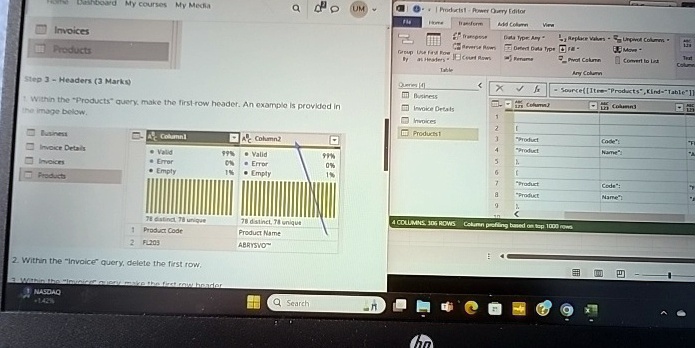
Step 3 - Headers (3 Marks)
1. Within the "Products" query, make the first row header. An example is provided in
the image below.
Business
Invoice Details
Invoices
Products
A Column1
A Column2
• Valid
99%
• Valid
99%
• Error
0%
• Error
0%
• Empty
1%
• Empty
1%
78 distinct, 78 unique
78 distinct, 78 unique
1 Product Code
Product Name
2 FL203
ABRYSVO™
2. Within the "Invoice" query, delete the first row.
3. Within the "Invoice" query, make the first row header
NASDAQ
+142%
Q Search
Products1 - Power Query Editor
Home Transform Add Column View
Group Use First Row Data Type: Any Replace Values Unpivot Columns
By As Headers Count Rows Detect Data Type Fill Pivot Column Move Convert to List
Rename
Table
Queries (4)
<
X
?
Source([Item="Products",Kind="Table"])
Business
125 Column1
125 Column2
125 Column3
Invoice Details
1
Invoices
2
Products1
3
"Product"
"Code"
4
"Product"
"Name"
5
6
7
"Product"
"Code"
8
"Product"
"Name"
9
<
4 COLUMNS, 306 ROWS Column profiling based on top 1000 rows