audio_delay.m:
function y = audio_delay(x, fs, mtpair)
% AUDIO_DELAY Delays the channel outputs of a stereo audio signal.
end
Programming language to be used is MATLAB
2.1 Channel Delay
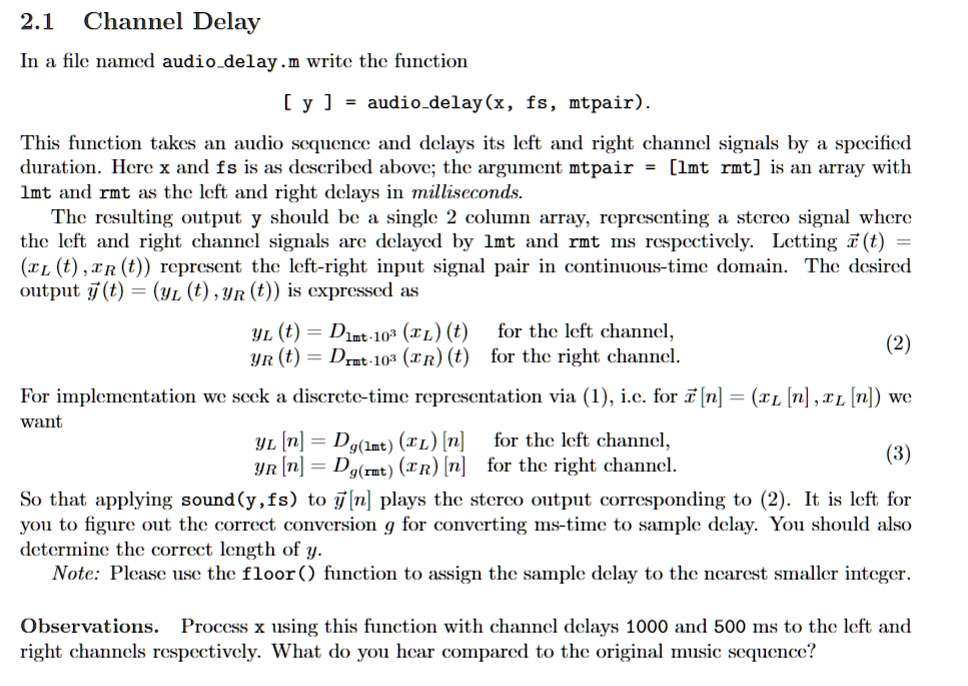
In a file named audio_delay.m, write the function [y] = audio_delay(x, fs, mtpair).
This function takes an audio sequence and delays its left and right channel signals by a specified duration. Here, x and fs are as described above; the argument mtpair = [lmt rmt] is an array with 1mt and rmt as the left and right delays in milliseconds. The resulting output y should be a single 2 column array, representing a stereo signal where the left and right channel signals are delayed by 1mt and rmt ms respectively. Letting (t = (L(t), R(t)) represent the left-right input signal pair in continuous-time domain. The desired output y(t) = (yL(t), YR(t)) is expressed as:
YL(t) = D * 1mt * 10^3 * L(t) for the left channel
YR(t) = D * rmt * 10^3 * R(t) for the right channel. (2)
For implementation, we seek a discrete-time representation via (1), i.e. for [n] = (xL[n], L[n]), we want YL[n] = D * g * lmt * xL[n] for the left channel, (3) YR[n] = D * g * rmt * xR[n] for the right channel.
So that applying sound(y, fs) to y[n] plays the stereo output corresponding to (2). It is left for you to figure out the correct conversion g for converting ms-time to sample delay. You should also determine the correct length of y. Note: Please use the floor() function to assign the sample delay to the nearest smaller integer.
Observations: Process x using this function with channel delays 1000 and 500 ms to the left and