Description:
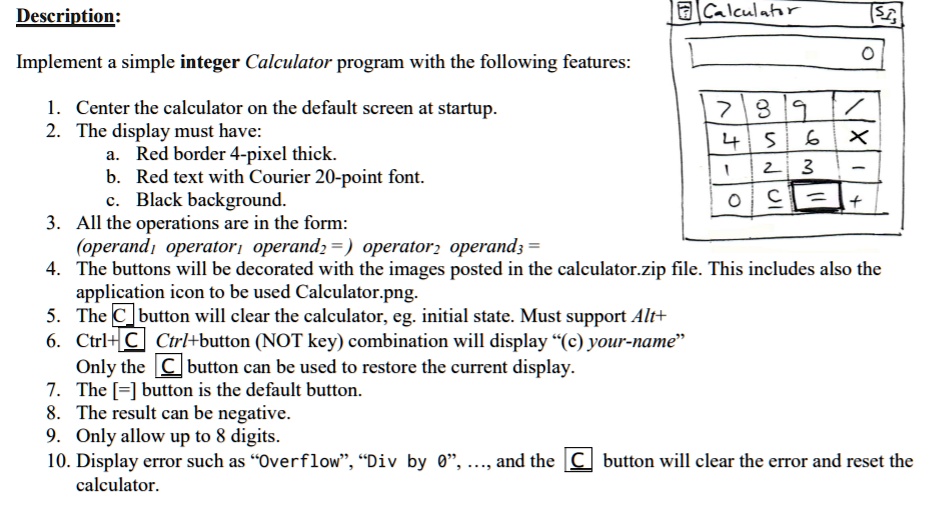
Implement a simple integer Calculator program with the following features:
1. Center the calculator on the default screen at startup.
2. The display must have:
a. Red border 4-pixel thick.
b. Red text with Courier 20-point font.
c. Black background.
3. All the operations are in the form:
(operand$_1$, operator$_1$, operand$_2$) = operator$_2$ operand$_3$ =
4. The buttons will be decorated with the images posted in the calculator.zip file. This includes also the
application icon to be used Calculator.png.
5. The C button will clear the calculator, eg. initial state. Must support Alt+
6. Ctrl+C Ctrl+button (NOT key) combination will display "(c) your-name"
Only the C button can be used to restore the current display.
7. The [=] button is the default button.
8. The result can be negative.
9. Only allow up to 8 digits.
10. Display error such as "Overflow", "Div by 0",..., and the C button will clear the error and reset the
calculator.