Question 2
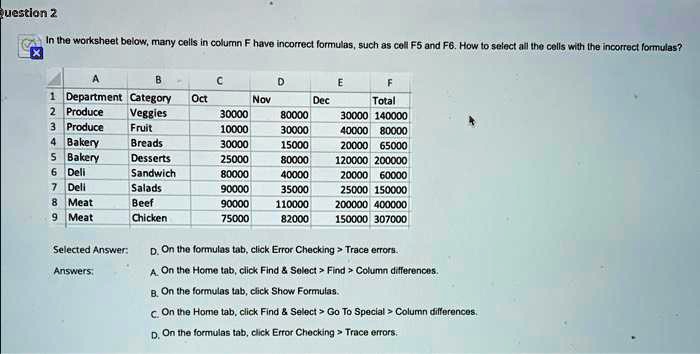
In the worksheet below, many cells in column F have incorrect formulas, such as cell F5 and F6. How to select all the cells with the incorrect formulas?
A B D E F Department Category Oct Nov Dec Total
Produce Veggies 30000 80000 30000 140000
Produce Fruit 10000 30000 40000 80000
Bakery Breads 0 15000 20000 65000
Bakery Desserts 25000 80000 120000 200000
Dell Sandwich 80000 40000 20000 60000
Deli Salads 90000 35000 25000 150000
Meat Beef 90000 110000 200000 400000
Meat Chicken 75000 82000 150000 307000
Selected Answer:
D. On the formulas tab, click Error Checking > Trace errors
A. On the Home tab, click Find & Select > Find > Column differences
B. On the formulas tab, click Show Formulas.
C. On the Home tab, click Find & Select > Go To Special > Column differences
D. On the formulas tab, click Error Checking > Trace errors