Practical Description:
• You cannot simulate the design in Proteus and must thus implement the design in hardware.
• Use the keypad correction which you did in experiment 4.
• As a start, generate a frequency equal the the value being pressed, e.g. if 1 is pressed, generate a frequency of 1 Hz. If a "4" is pressed the frequency will be 4 times faster and noticeable.
• You can then implement the times 10 factor and test the operation on an oscilloscope.
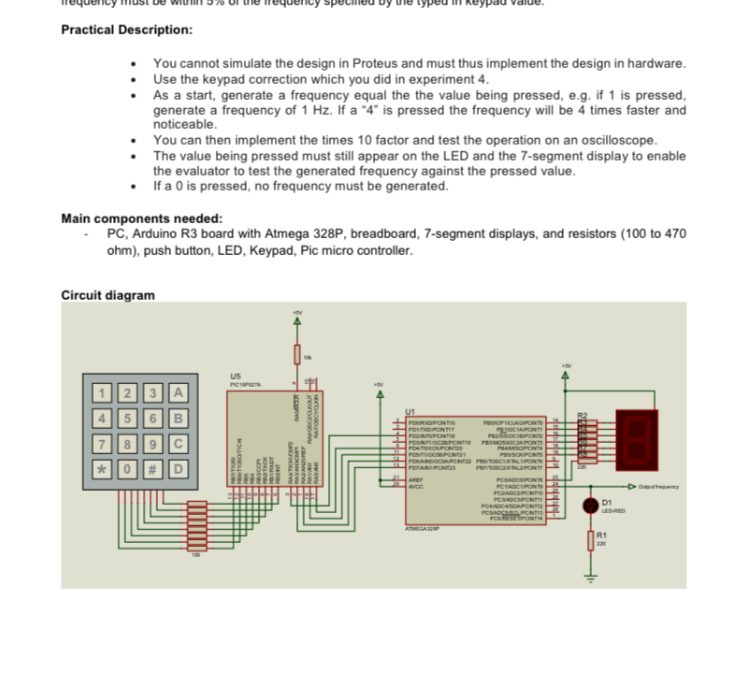
• The value being pressed must still appear on the LED and the 7-segment display to enable the evaluator to test the generated frequency against the pressed value.
• If a 0 is pressed, no frequency must be generated.
Main components needed:
- PC, Arduino R3 board with Atmega 328P, breadboard, 7-segment displays, and resistors (100 to 470 ohm), push button, LED, Keypad, Pic micro controller.
Circuit diagram