How to solve these problems?
13
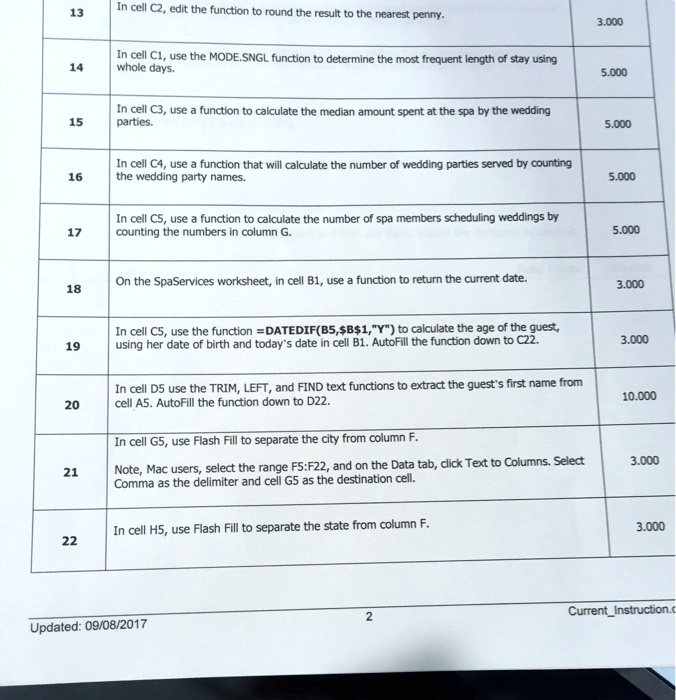
In cell C2, edit the function to round the result to the nearest penny.
3.00
14
whole days.
5.00
In cell C3, use a function to calculate the median amount spent at the spa by the wedding parties.
15
5.00
In cell C4, use a function that will calculate the number of wedding parties served by counting the wedding party names.
16
5.00
In cell C5, use a function to calculate the number of spa members scheduling weddings by counting the numbers in column G
17
5.00
18
On the SpaServices worksheet, in cell B1, use a function to return the current date.
3.00
In cell C5, use the function =DATEDIF(B5,$B$1,"Y") to calculate the age of the guest using her date of birth and today's date in cell B1. AutoFill the function down to C22.
19
3.00
In cell D5 use the TRIM, LEFT, and FIND text functions to extract the guest's first name from cell A5. AutoFill the function down to D22.
20
10.00
In cell G5, use Flash Fill to separate the city from column F. Note, Mac users, select the range F5:F22, and on the Data tab, click Text to Columns. Select Comma as the delimiter and cell G5 as the destination cell.
3.00
21
In cell H5, use Flash Fill to separate the state from column F
3.00
22
2
Current_Instruction.
Updated: 09/08/2017