Texts: Grader - Instructions
Excel 2019 Project
Grader - Instructions
Excel 2019 Project
Exp19_Excel_Ch09_ML1_Expenses
Step
Instructions
Points Possible
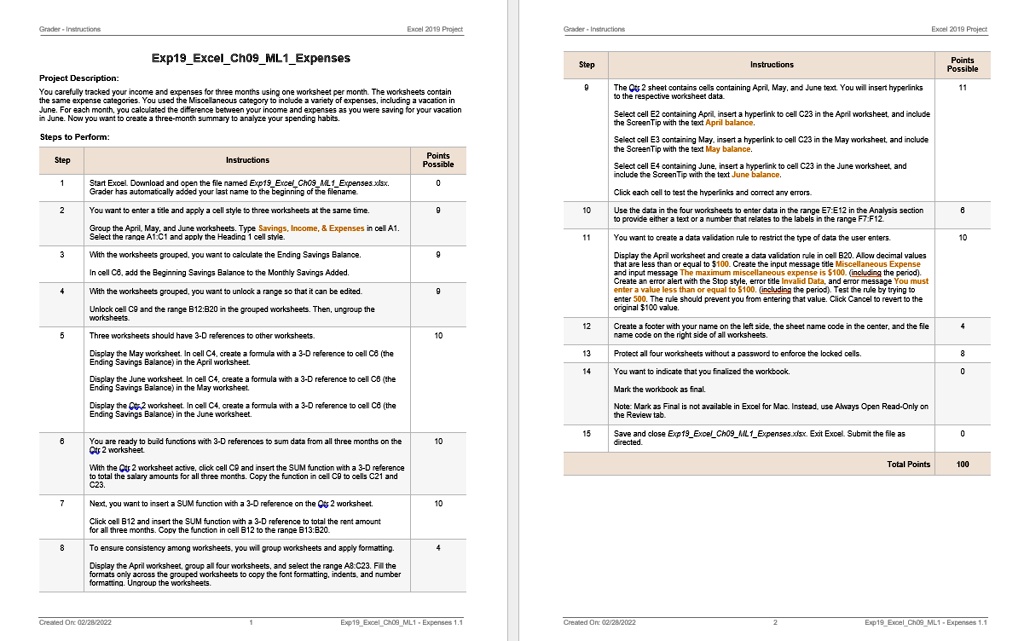
Project Description: You carefully tracked your income and expenses for three months using one worksheet per month. The worksheets contain the same expense categories. You used the Miscellaneous category to include a variety of expenses, including a vacation in June. For each month, you calculated the difference between your income and expenses as you were saving for your vacation in June. Now you want to create a three-month summary to analyze your spending habits.
The Qts 2 sheet contains cells containing April, May, and June text. You will insert hyperlinks.
11
Select cell E2 containing April, insert a hyperlink to cell C23 in the April worksheet, and include the ScreenTip with the text April balance. Select cell E3 containing May, insert a hyperlink to cell C23 in the May worksheet, and include the ScreenTip with the text May balance.
Steps to Perform:
Points Possible
Step
Instructions
Select cell E4 containing June, insert a hyperlink to cell C23 in the June worksheet, and include the Screen Tip with the text June balance.
Start Excel. Download and open the file named Exp19ExcelCh09_ML_Expenses. Grader has automatically added your last name to the beginning of the filename.
0
Click each cell to test the hyperlinks and correct any errors.
You want to enter a title and apply a cell style for three worksheets at the same time. Group the April, May, and June worksheets. Type Savings, Income, & Expenses in cell A1. Select the range A1:C1 and apply the Heading 1 cell style.
Use the data in the four worksheets to enter data in the range E7:E12 in the Analysis section to provide either a text or a number that relates to the labels in the range F7:F12. You want to create a data validation rule to restrict the type of data the user enters.
10
With the worksheets grouped, you want to calculate the Ending Savings Balance.
Display the April worksheet and create a data validation rule in cell B20. Allow decimal values that are less than or equal to $100. Create the input message title Miscellaneous Expense and input message The maximum value allowed is $100 (including the period). Test the rule by trying to enter 500. The rule should prevent you from entering that value. Click Cancel to revert to the original $100 value.
12
Create a footer with your name on the left side, the sheet name code in the center, and the file name code on the right side of all worksheets.
Display the May worksheet. In cell C4, create a formula with a 3-D reference to cell C3 (the Ending Savings Balance) in the April worksheet.
Protect all four worksheets without a password to enforce the locked cells.
Display the June worksheet. In cell C4, create a formula with a 3-D reference to cell C3 (the Ending Savings Balance) in the May worksheet.
You want to indicate that you finalized the workbook.
Mark the workbook as final.
Display the Ctrl+2 worksheet. In cell C4, create a formula with a 3-D reference to cell C3 (the Ending Savings Balance) in the June worksheet.
Note: Mark as Final is not available in Excel for Mac. Instead, use Always Open Read-Only on the Review tab.
You are ready to build functions with 3-D references to sum data from all three months on the Qts 2 worksheet.
Save and close Exp19_Excel_Ch09_ML1_Expenses.xlsx. Exit Excel. Submit the file as directed.
With the Qts 2 worksheet active, click cell C0 and insert the SUM function with a 3-D reference C23.
Total Points
100
Next, you want to insert a SUM function with a 3-D reference on the Qts 2 worksheet. Click cell B12 and insert the SUM function with a 3-D reference to total the rent amount for all three months. Copy the function in cell B12 to the range B13:B20.
To ensure consistency among worksheets, you will group worksheets and apply formatting. Display the April worksheet, group all four worksheets, and select the range A8:C23. Fill the formats only across the grouped worksheets to copy the font formatting, indents, and number formatting. Ungroup the worksheets.