Instructions
1. Click the Configuration icon (wrench) on the left side of the Stellarium window to open the
Configuration window.
2. Click the Scripts tab.
3. Click the "lunar_total.ssc" script to select it, and then click the Play button at the bottom of the
right pane to watch the script. Do not try to change other settings while the script is running.
This script will show a total lunar eclipse from May 4, 2004.
4. When the eclipse has finished, click the "Set normal time rate" control (>) twice at the bottom of
the Stellarium window to change it to pause (||) and stop the script.
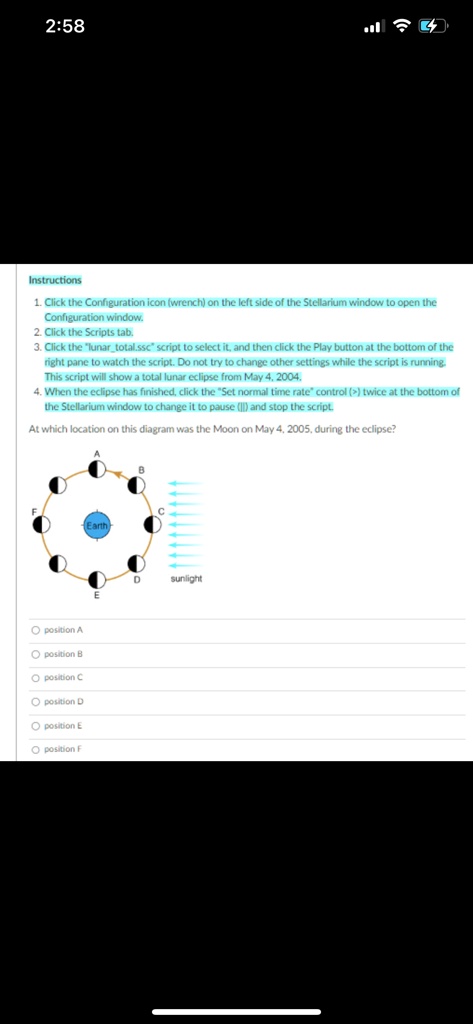
At which location on this diagram was the Moon on May 4, 2005, during the eclipse?
position A
position B
position C
position D
position E
position F